
If you think you can skip keywords by focusing on Pinterest instead of Google SEO, it’s time for a small reality check. Pinterest is a visual search engine, and like any search platform, it relies on keywords and context to understand and distribute your content.
As a blogger, learning how to find Pinterest keywords and use them strategically is still one of the most important parts of growing your reach on the platform.
The challenges for many bloggers (myself included when I was just starting out on Pinterest) are that keyword use often feels unclear or inconsistent.
I was haphazardly filling out Pin titles and descriptions without thinking about search intent and Pinterest SEO.
Once I started to implement Pinterest keywords properly, with intention, I saw a great increase in my pins being indexed and discovered by Pinterest users.
What’s even more important today is that Pinterest is increasingly powered by AI. That means it’s not just looking at exact keywords anymore. It’s also interpreting topics, images, and overall content relevance.
So, how do you find Pinterest keywords, and how do you use them to get more visibility in search results?
We’ll answer these questions in this post:
- What Pinterest keywords are and how Pinterest SEO works
- Why keywords still matter on Pinterest (even in an AI-driven system)
- How to find Pinterest keywords using Pinterest Search and Trends
- How to think beyond keywords using search intent
- How to use AI to support keyword discovery
- How to apply keywords effectively across your Pinterest account
- What to avoid when using keywords on Pinterest
In the end, you’ll be able to find the best Pinterest keywords and be ready to optimize your Pinterest pins and account like a pro.

DISCLOSURE: This post contains affiliate links, meaning if you click on a product or service, and decide to purchase it, I may receive a commission at no extra cost to you. All recommended products and services are based on my positive experience with them. For more information, please read my Disclaimer.
Bookmark this post on Pinterest!

What Are Pinterest Keywords?
Pinterest is a visual search engine, much like Google. It operates using its own SEO system.
Pinterest keywords are the search terms and specific phrases that are used by Pinterest users to find content.
These can be:
- Short one to two-word keywords that are difficult to rank in searches
- Longer descriptive phrases (longtail SEO keywords, usually 3 to 6 words long). These are more specific and aligned with search intent.
Pinterest doesn’t match keywords anymore. It’s algorithms group content into topics based on relevance, engagement, and visual understanding.
Simply put, keywords help Pinterest understand your content so that it can deliver it to the right audiences.
| RELATED: How To Easily Optimize Blog Posts For SEO And Improved Ranking

Why Do We Need To Use Pinterest Keywords?
Before we delve into the topic of how to find keywords on Pinterest, you need to know why you need them in the first place!
Pinterest catalogues pin content to ensure it can deliver user searches. The AI that Pinterest uses can scan signals to understand your content, including:
- Pin titles
- Pin descriptions
- Text overlays on Pinterest pins
- Image content used in Pinterest pin designs (so relevancy is important)
- Board titles and descriptions
- Engagement patterns and saves
So, it’s important to provide the right blend of information to ensure your content is best understood and indexed by Pinterest.
Pinterest’s AI is increasingly focused on topic relevance, not just exact keyword matching.
So, do we still need keywords? Yes, they are the foundation that helps define those topics in the first place. With keywords, Pinterest might have trouble categorizing your content correctly or matching it to active search behaviour.
In other words, keywords are still how you “label” your content so Pinterest can understand where it belongs in the ecosystem.
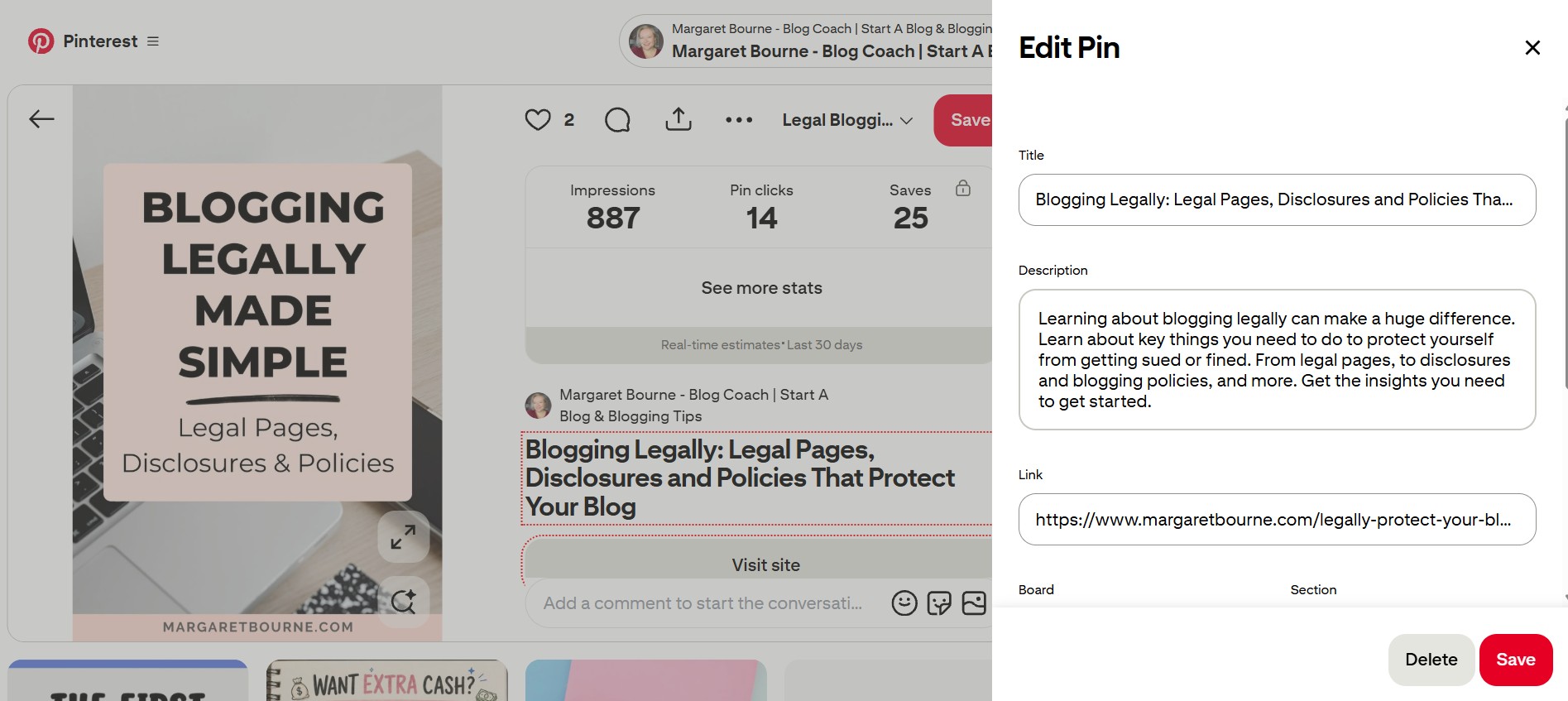
Here’s an example of one of my blog post pin designs that’s optimized with keywords, pinned to a relevant keyword-optimized board with a design that works for the topic:
| RELATED: How To Grow Blog Traffic – 3 Strategies That Work!
How To Find Pinterest Keywords
Finding Pinterest keywords is actually quite easy. However, it’s no longer just finding keyword ideas but also identifying the topic signals that match real Pinterest user behaviour and search intent.
Here are the easiest ways to find keywords for Pinterest:
- In the Pinterest search bar
- In the Pinterest search bar for video pins
- In the Pinterest keyword tool
- Pinterest trends tool
Let’s look at each of these methods closely:
1. Finding Keywords In The Pinterest Search Bar
This is the easiest way to find keywords on Pinterest. It’s the way I use 99% of the time. It’s also the method most beginner bloggers use, too.
Begin by entering a keyword (best to do a broad keyword with 2 to 3 words) and see what is automatically generated.
These Pinterest suggestions can uncover keywords that indicate what people are actually using for searches.
For example, here’s what comes up for “blog post ideas”.
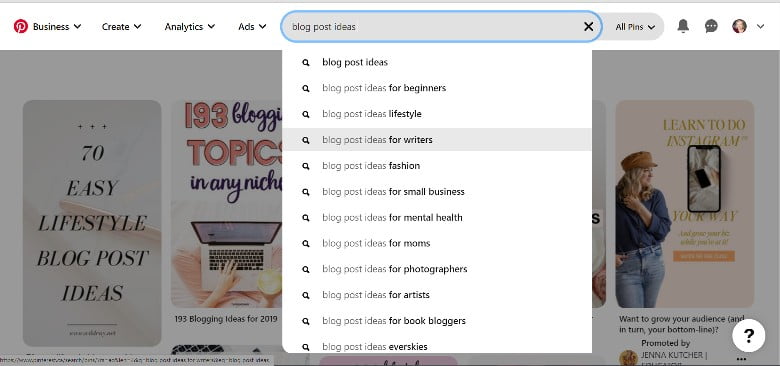
PRO TIP: If you’re looking for blog post ideas for content that Pinterest users are seeking, this is the best way to find them!
If you’re writing blog post ideas for beginners, you may want to play around with the wording. Next, try “blog post ideas for beginners” and see what pops up as a more specific keyword.

This is a great way to determine what specific terms are used. In this case, “blog post ideas for beginners tips”.
You’ll want to somehow incorporate that into your pin title or description. They can also be used in your board descriptions.
2. Find Pinterest Keywords In The Video Search Bar
Much like the steps for the “All Pins” search bar, you can use the specific search for Video pins to find keywords in Pinterest.
What you first need to do is filter for “Video” content.
When you search in “Video” mode, you’ll notice that “bubbles” with keywords show up over top.

When you click the bubble, it takes you to more pins specific to that topic. It may also show more “bubbles” with more specific keywords.
| RELATED: How To Create Video Pins And Add Them To Pinterest
3. Finding Keywords In Pinterest Using The Keyword Tool (Ad Planning)
When you have a Business Account, the benefit is that you can create ads.
Pinterest ads have their own keyword planner tool that helps you identify specifics to promote pins.
This tool is also very useful for figuring out Pinterest keywords for regular pins.
Here’s how to use it (it’s a bit difficult to get to it… so follow along as best as you can).
- Click Ads / Create Campaign
- Make sure you are in manual ads
- Uncheck “Get better results with Pinterest Performance+.”
- On the left-hand side, you’ll see a box. Click New Ad Group
- Scroll down to Interests and Keywords; make sure it’s enabled
- Click the dropdown button on the top right for this section
- Now you can search for related keywords

- Click Add Keywords
- In the search bar, add a general keyword (2 to 3 words maximum)
- You’ll get a list of ideas popping up
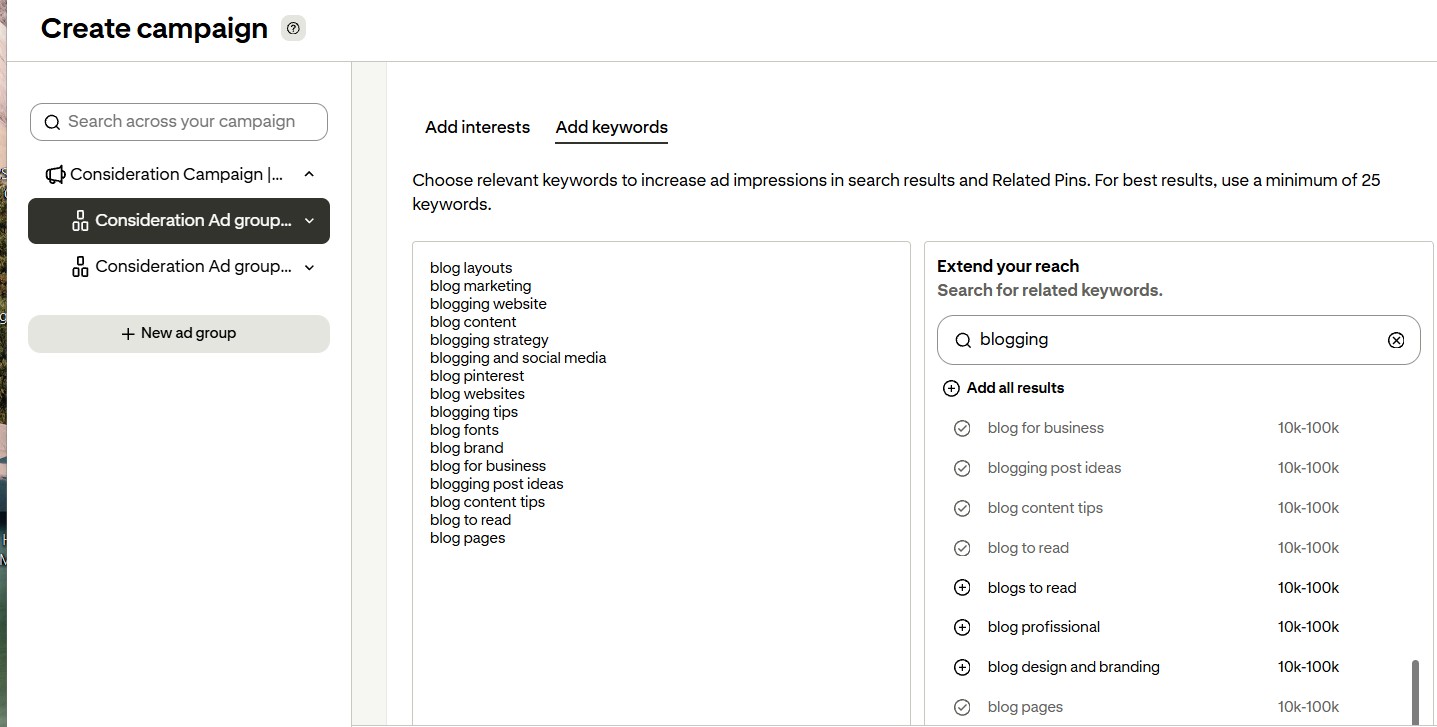
- Click to add the most relevant ones to your list on the left-hand side
- You may want to take a screenshot of all of those that work for you or copy and paste them into a separate document.
PRO TIP: If you choose a broad keyword, like in this case “blogging”, you’ll get a much longer list of top keywords for this topic.

4. How To Find Pinterest Keywords Using The Pinterest Trends Feature
Pinterest Trends is an excellent place to find Pinterest keywords. In particular, you can find trending keywords.
You can see when keywords are popular.
With Pinterest trends, you can:
- Search for a keyword
- Compare related topics
- Identify seasonal spikes
- Discover rising interest patterns
- Drill down to regional popular Pinterest keywords
To get to the Pinterest trends pages, you need to do this: Click on the Pinterest button at the top left of your Pinterest page (three lines). When it drops down, find Pinterest Trends under “Analyze performance.”
You will find a page that looks something like this:
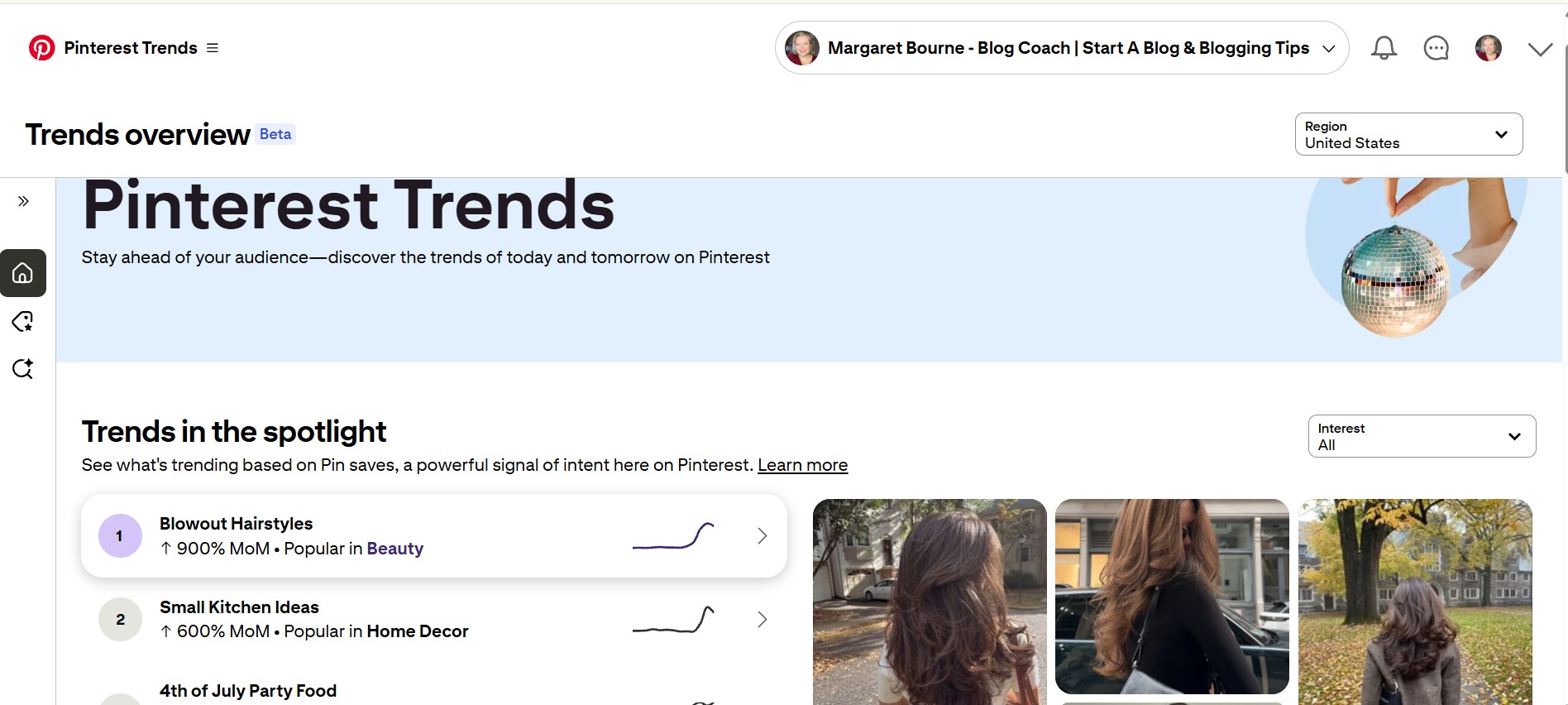
When you enter your keyword in the “Search for keywords trending on Pinterest” bar, you’ll get the results for that keyword in the country you’ve selected.
This is what came up for “blogging” in the US:
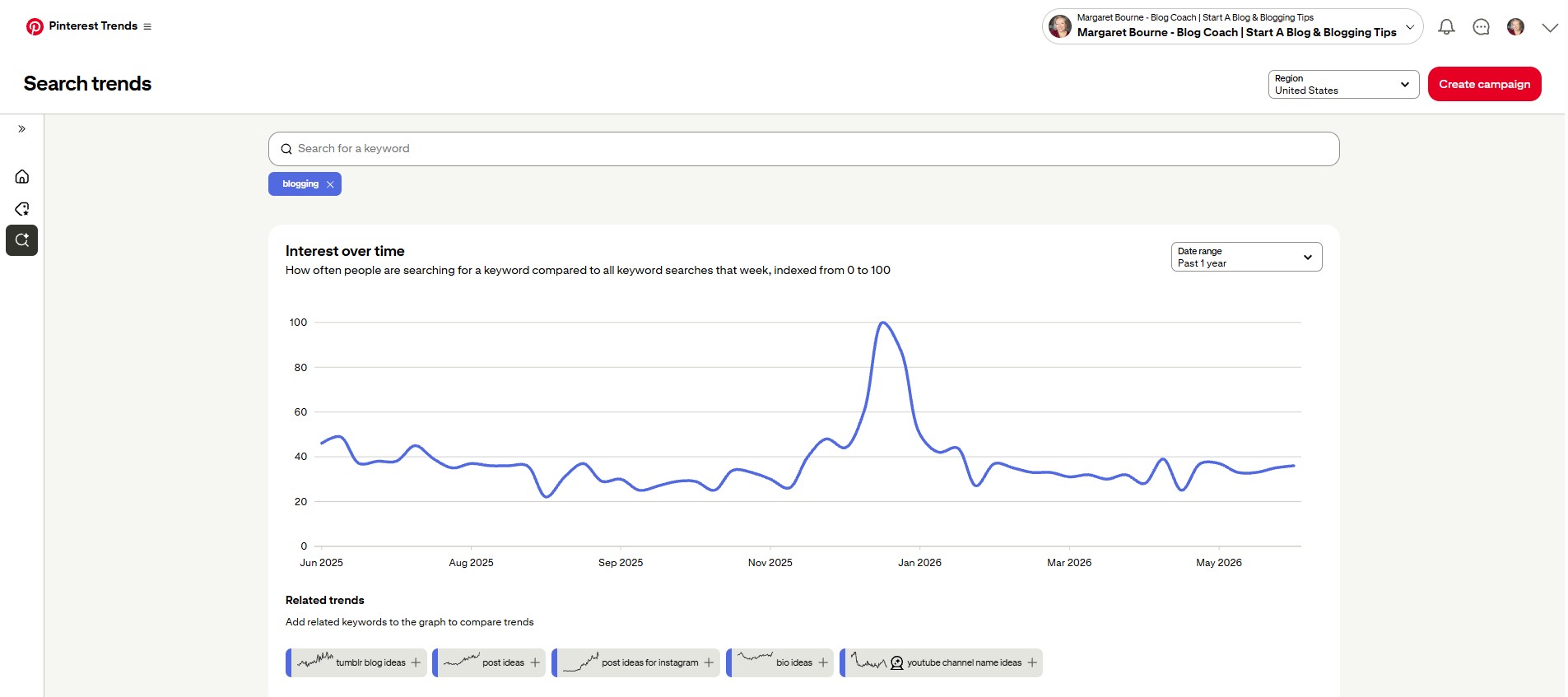
But this is not what you’re really seeking.
It doesn’t work for all keywords, but for the top topics, you’ll find what keywords and topics are trending.
Here’s what shows up, like a Google search prompt, when I tried “cookies”.
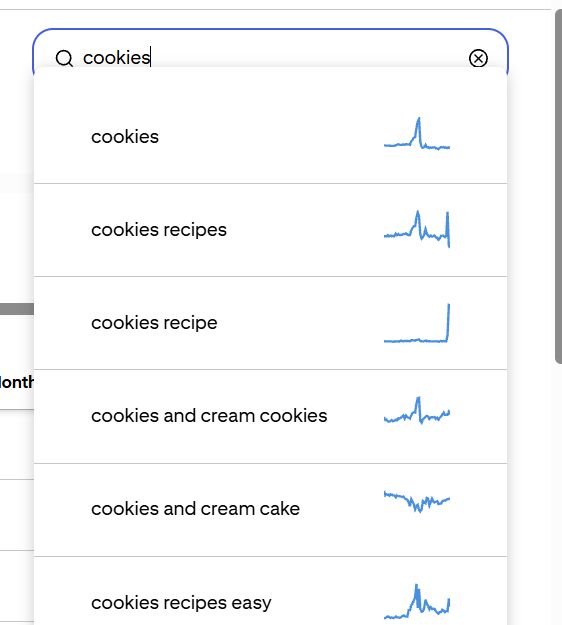
Now, when I take the “cookies recipes” and type in “cookie recipes” in the search, I get more keywords!
You can keep going and drilling down even more to find which keywords are being used and which ones are trending.
It’s one of the best ways to find Pinterest keywords and hot topics that will help you when you write great blog posts!
How To Use SEO Keywords On Pinterest
Now that you have learned how to find keywords on Pinterest, where do you add them?
- Pin titles (ideally near the beginning)
- Pin descriptions (in natural, readable sentences)
- Text overlays on Pin designs
- Profile name and About section
- Board titles and board descriptions
Here’s how I’ve used key topic keywords in my profile:

Train your AI Chatbot as a blogging assistant so it understands your blog better. This makes it easier for it to produce better Pinterest pin titles, descriptions and more.
PRO TIP: Keep a list of your published blog posts in Google Sheets along with the keywords you’ve found in separate columns. You can create pins for different keywords and see how you can get more than one pin indexed with more than one keyword. This increases your chances of somebody finding your content.
Train Your AI Chatbot To Become Your Blog’s Assistant
This free guide takes you through the steps of teaching Claude, ChatGPT and Gemini about your blog, your goals and your blog’s unique brand voice. Have your chatbot produce better Pinterest pin titles and descriptions that align with your blog… every time!
What Words Are Not Allowed On Pinterest?
Not all keywords are allowed on Pinterest, and they are related to topics that are not permitted on the site.
The best place to find these is in PInterest’s advertising guidelines, specifically its Prohibited Content Guidelines.
Be careful with health and wellness topics, as they may run afoul of Pinterest’s prohibitions around medical and health messaging.
Boost Your Pin Success!
Now you know how to find Pinterest keywords in several ways:
- In the Pinterest search bar (all pins)
- In the Pinterest search bar, for video pins
- In the Pinterest Keyword Tool (ads)
- Through the Pinterest Trending Pins tool
And you now know where to add them to optimize your profile and pins.
If you’re looking to create gorgeous pins fast, I’ve got 10 free Pinterest templates that you can use:
When you start considering Pinterest SEO, you’ll find that your Pinterest marketing results will improve.
Need to learn more about Pinterest?
Check out these helpful blog posts:
- How To Get Started With Pinterest: A Beginner’s Guide
- How To Use Pinterest For Blog Growth
- How To Design Clickable Pinterest Pins
- Pinterest Tips And Tricks For Blogging Success
QUESTION: What is your favourite way to find the best keywords on Pinterest?
Want more blogging advice from Margaret?
Add MargaretBourne.com as a Preferred Source so Google can highlight more of my blogging advice for you in Search, AI Overviews and AI Mode.






You have excellent and very helpful information on your pins. I can’t wait to start reading the rest of them!
Very interesting and I’ll be trying these tactics myself. it’s so hard to figure out the SEO algorithm. thanks for the info!
You’re most welcome and yes, it’s always a fun challenge to find the best keywords. When you do, it’s like hitting paydirt!
Pinterest is an app that drives quite a lot of traffic to my blog, but I have no idea how to use it properly. To be honest, I had no idea Pinterest Trends was even a thing (or at least I didn’t know I could utilize it). I have bookmarked this post as it’s a really useful guide for a newbie like me! I’m getting to know and love Pinterest! xxx